

The KNB Scholarship 2026 portal is now live. The official link is https://knb.kemdiktisaintek.go.id/ Go there right now. Create your account today. Do not wait until March.
This guide shows every step with simple words. Follow it exactly. The portal is slow near deadline so finish early.
Step 1: Go to the Official Portal
Open your browser and type: https://knb.kemdiktisaintek.go.id/ You will see the home page with Sign In and Sign Up buttons at the top right.

Step 2: Create a New Account (Sign Up)
If you do not have an account click Sign Up. Fill these fields:

- Full Name (same as your passport)
- Email (use one you check every day)
- Password (make it strong 8+ characters with letters and numbers)
- Confirm Password
Click Register or Sign Up button. They send a verification email to your inbox. Open the email and click the link to verify. Now go back to the site and Sign In with your email and password.

Step 3: Log In and Start Application
After login you see dashboard. Click Apply Now or Start Application (it shows for 2026 cycle). Choose your level: Bachelor Master or PhD.
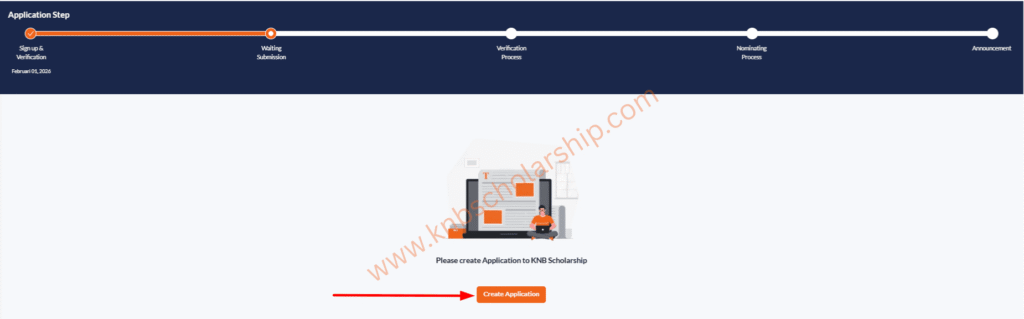
Step 4: Fill Personal Information
Enter these one by one:
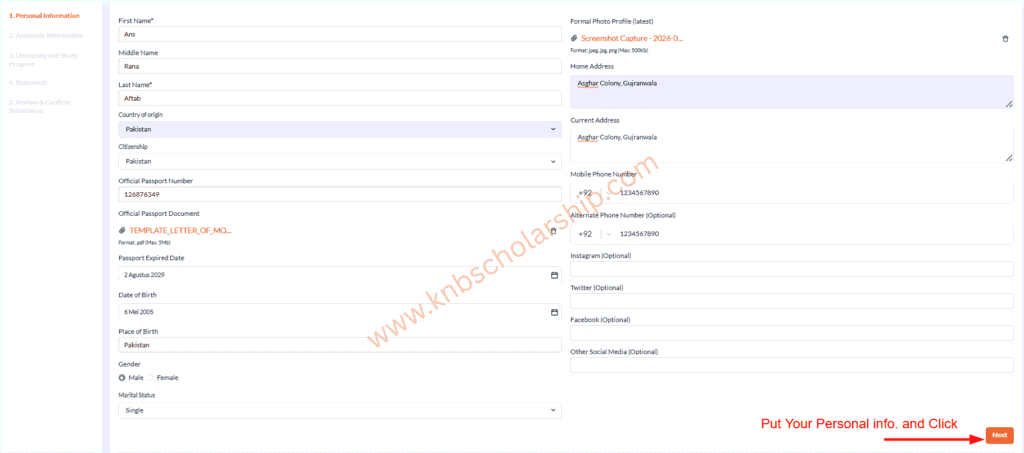
- Passport number and Passport pdf
- Passport Expired Date
- Date of birth
- Nationality (select Pakistan India Bangladesh etc)
- Current address
- Phone number with country code
- Current Spouse Nationality
Upload passport scan (PDF clear under 2 MB). Use file name like PASSPORT_YourName.pdf
Step 5: Put Your Academic Information and Required Documents
Enter your academic information one by one in the following sections like:
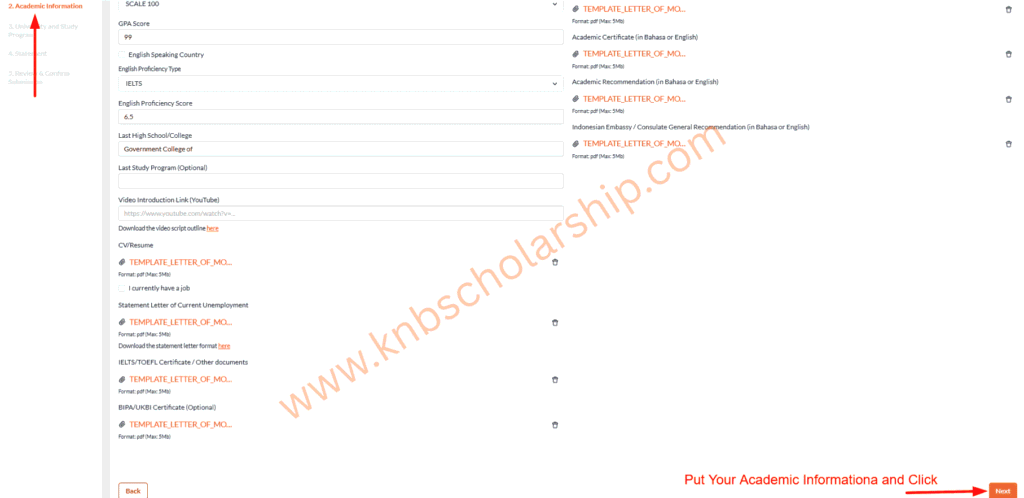
- Last High School/College Name
- Last Study Program
- English Speaking Country (Yes/No)
- If No then English Proficiency Type and Score
- Video Introduction Link
- Has Job or Not
Upload these PDFs:
- Degree certificate and transcript (English version)
- English test score (IELTS TOEFL Duolingo)
- Recommendation letter from embassy (stamped)
- Motivation letter
- Research proposal (Master PhD only)
- Medical certificate
- Photo 4×6 cm red background
Each file under 2 MB. Name them clearly like DEGREE_YourName.pdf
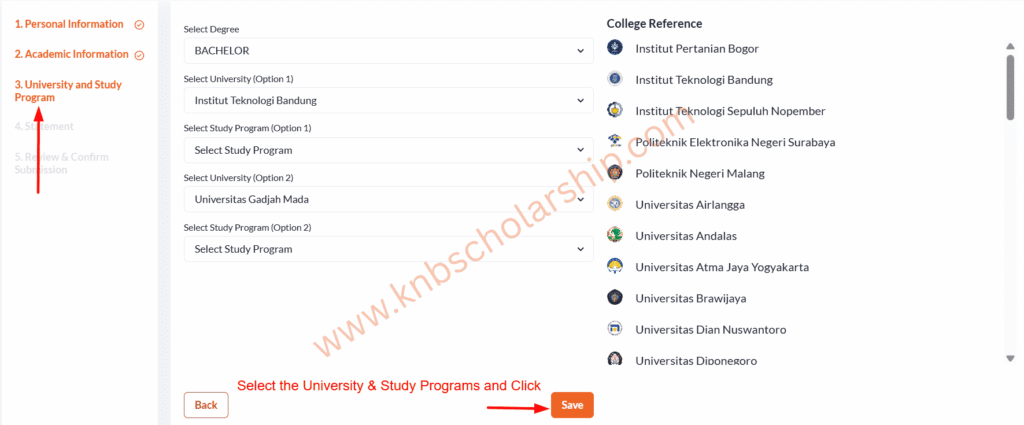
Step 6: Choose Universities and Programs
Select up to 3 different universities. Pick one easy like IPB or Brawijaya first. Search program name (use exact name from university site). Upload your unconditional LoA if you have it (highly recommended). How to get it fast? Check How to Get LoA for KNB 2026 with Email Templates
See easy ones: Top 10 Highest Acceptance Rate Universities for KNB Scholarship 2026
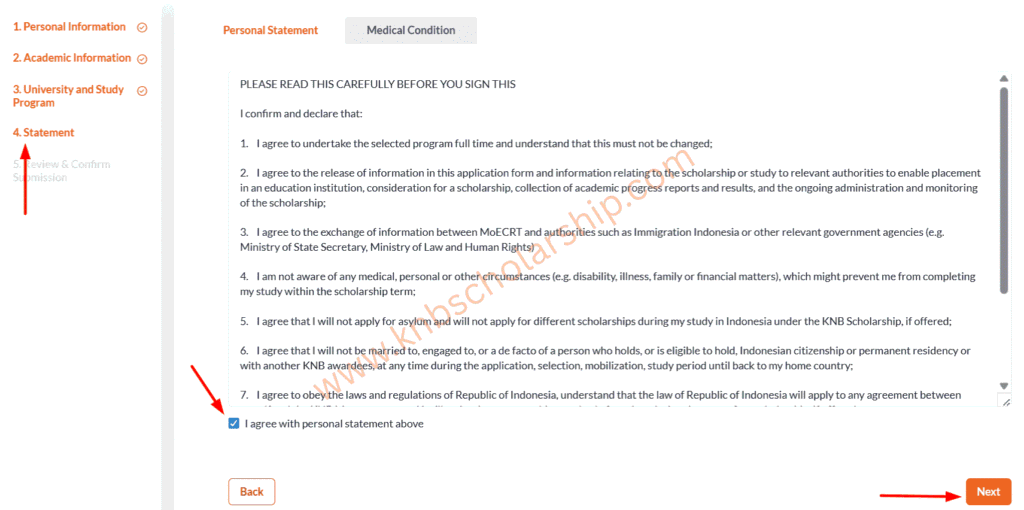
Step 7: Fill Out Statement Section
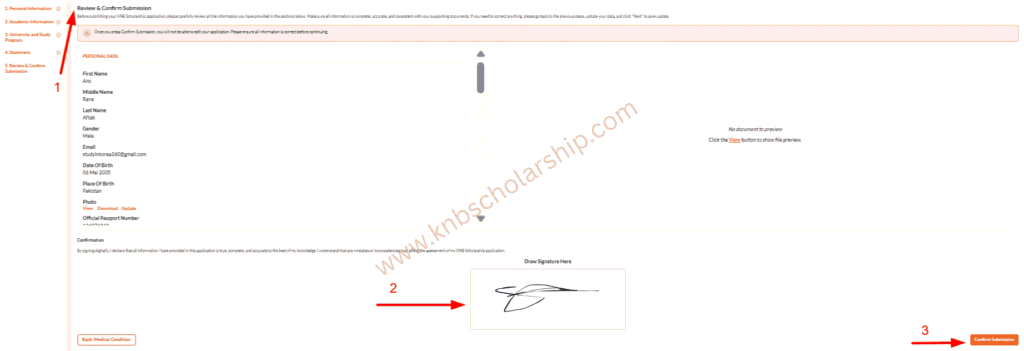
Step 8: Review and Submit
Check everything twice. Click Preview or Review Application. Fix any red errors. Click Submit. You get confirmation email and see status in dashboard.
Important Tips Right Now
- Submit before 20 March 2026. Portal crashes in last days.
- Save progress every 10 minutes (click Save Draft).
- Use laptop or good internet. Mobile is okay but harder.
- If error happens refresh or try later. Do not create new account.
- One person one account only.
You can also check Application process guide too from here.
Fix common upload mistakes: 9 Biggest KNB Application Mistakes
